Blog · AI agents and workflows
How to Make Your Chatbot Sound Human, Not Robotic
Robotic replies come from instructions, settings and training, not the model. Here is the voice section, the Botcake AI settings and the tone test that fix them.
By Dijae Dadula · October 22, 2026 · 10 min read
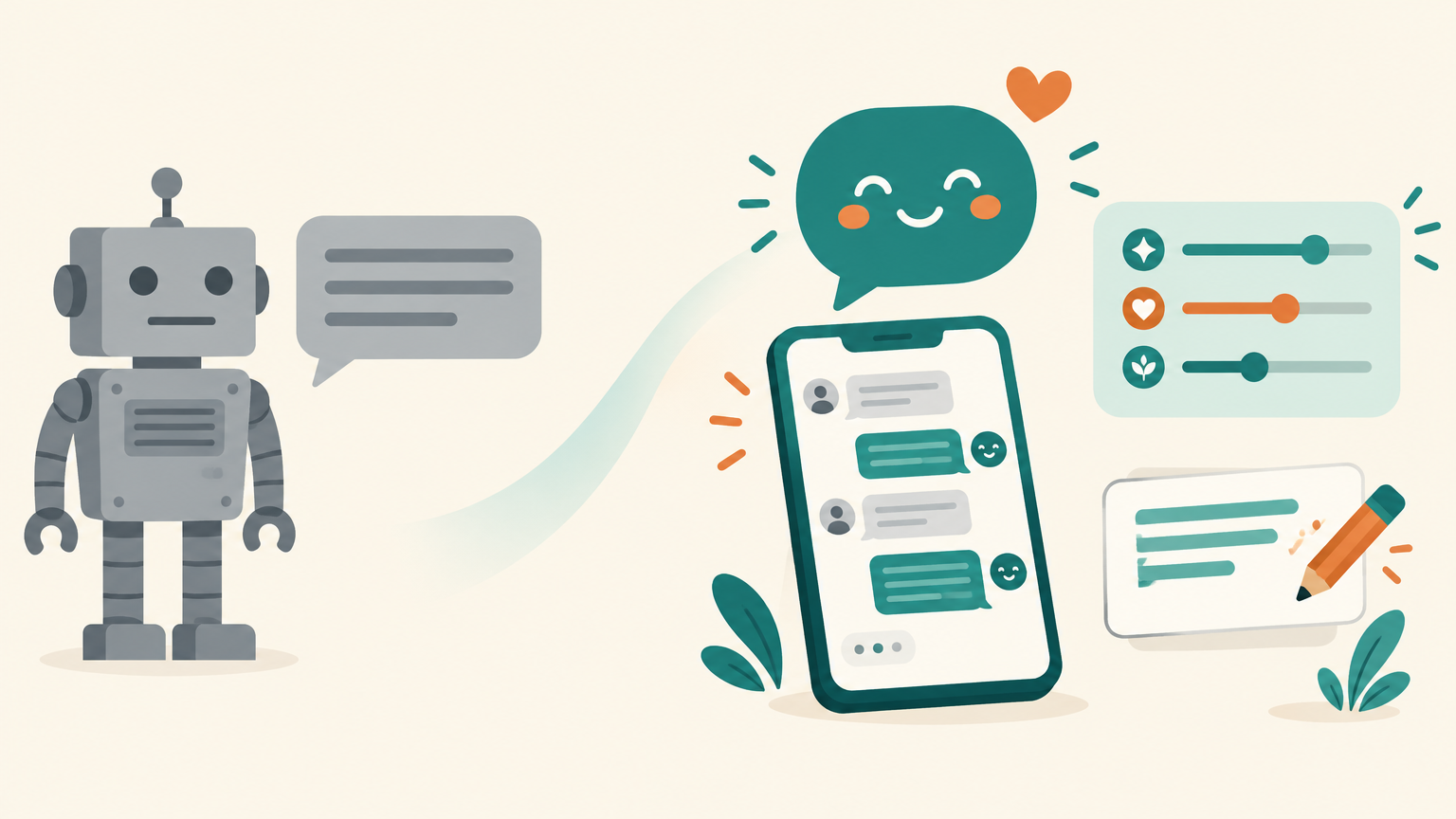
Customers can tell within two messages when a chatbot is reading from a script. The reply is too long, too polite, too formal, and it answers a question nobody asked. They stop typing, or they type “human” and wait. The problem is rarely the AI model. It is the instructions, the settings and the training behind it.
This guide is for business owners, agencies and freelancers who run an AI agent on Messenger, Instagram or WhatsApp and want it to sound like their best staff member. You will get the seven habits that make replies sound robotic, a copy-ready voice section for your instructions, the Botcake AI settings that shape how replies arrive, the two training loops that fix tone over time, and a test you can run before every update.
What you will get
- The seven habits that make a chatbot sound robotic.
- The line between sounding human and pretending to be human.
- A copy-ready voice section with rules, banned phrases and examples.
- The Botcake AI settings for message length, delay and model behavior.
- A tone test with acceptance criteria.
1. Why chatbots sound robotic
Speed alone does not win customers. In Glance's 2026 CX Trends survey of more than 600 US consumers, 75% said they had received fast, AI-driven replies that still left them frustrated, and 68% said a complete resolution mattered more than a quick one. A reply that arrives in two seconds but reads like a policy document does not feel like help.
Robotic replies almost always come from the same seven habits:
| Habit | What the customer feels |
|---|---|
| Walls of text | “I asked one thing and got an essay.” |
| Template openers (“Thank you for reaching out!”) | “Nobody is actually reading my message.” |
| Over-apologizing | “Stop saying sorry and just answer.” |
| Answering a different question | “It did not understand me.” |
| Forgetting what was said | “I already told you my size.” |
| Corporate vocabulary (“kindly be advised”) | “This is not how people talk.” |
| Never asking a question back | “It is talking at me, not with me.” |
Every one of these is fixable without changing the model. Most are fixed in the instructions; two are fixed in settings.
2. Sound human, do not pretend to be human
There is a clear line here, and crossing it costs trust. Sounding human means short, warm, specific replies in plain words. Pretending to be human means letting customers believe a person is typing when it is an AI.
The rules point the same way. Meta's Messenger Platform policy requires automated chat experiences to disclose that a person is interacting with an automated service where applicable law requires it, at the start of a conversation, after a significant lapse of time and when a chat moves from a human to automation, and recommends doing so everywhere as best practice. In the European Union, Article 50 of the AI Act has applied since August 2, 2026: AI systems that interact directly with people must be designed so users are informed, at the latest at the first interaction, that they are dealing with an AI, unless that is already obvious. For reference, check the documentation here.
Disclosure also protects the handoff. When a person takes over, the customer knows something changed, and the conversation does not feel like the same “person” suddenly forgot everything.
3. Write a voice section in your instructions
Most instructions describe what the agent knows and almost nothing about how it talks. Add a dedicated voice section. Keep it short and concrete: rules, banned phrases and two or three example replies. Examples teach tone faster than adjectives like “friendly” ever will.
# VOICE
You are {agent name}, the AI assistant of {business}.
Say you are an AI assistant in your first message.
Write like a helpful staff member chatting on a phone:
- 1 to 3 short sentences per message. One idea per message.
- Answer the question first, then add one useful detail.
- Use the customer's first name once, not in every reply.
- Plain words. No jargon, no corporate phrases.
- Ask one question back when you need information.
- Match the customer's energy: short message, short reply.
- At most one emoji, and only if the customer uses them.
- Remember what the customer already told you. Never ask twice.

# NEVER SAY
“Thank you for reaching out”, “Kindly be advised”,
“I apologize for any inconvenience”, “As an AI language model”,
“Is there anything else I can help you with?” after every reply.

# EXAMPLES
Customer: how much is the serum
You: It's {price} for the 30 ml bottle. Is it for oily or dry skin?
I can suggest the right one.

Customer: do you deliver to Cebu
You: Yes, we ship to Cebu. Delivery usually takes {days}.
Want me to check the total with shipping?
Replace the placeholders with your real facts, and write the examples in your own brand's words. If your agent does not have a full instruction yet, start with the AI agent instructions template and add this block to it.
Here is what the difference looks like in practice. These are illustrative examples, not real conversations.
4. Shape how replies arrive
Even good wording feels robotic if it lands as one long block the instant the customer hits send. In Botcake, two general settings change how replies arrive:
- Maximum length of a message breaks long AI replies into shorter segments, so a three-part answer arrives as three chat bubbles instead of one wall of text.
- Smart delay (“AI delay after customer reply”) sets a short pause before the AI answers. The reply no longer lands the instant the customer hits send.
I recommend splitting replies and using a short delay rather than an instant one, then checking the result in real conversations. A short delay is about pacing, not disguise: your agent should still say it is an AI. Turn on Enable chat history as well, which lets the AI remember the last 50 messages, so it stops asking for details the customer already gave. For reference, check the documentation here.
5. Tune the model settings
Every Botcake AI agent has a model and a Config with three presets: Creative, Balanced and Precise. Behind them are the usual model settings: temperature, Top P, presence penalty, frequency penalty and max tokens. Frequency penalty reduces the chance of the AI repeating the same words too often, which is one cause of that same-every-time feel.
My recommendation is to start on Balanced and fix tone in the instructions, not by pushing the model toward Creative. A more creative setting does make replies more varied, but in a sales chat it also makes it more likely the AI improvises a detail, such as a delivery time or a promo, that is not true. Change one setting at a time and rerun your tests after each change.
6. Train on real conversations
Botcake AI gives you two training loops, and together they fix most tone problems within a few rounds.
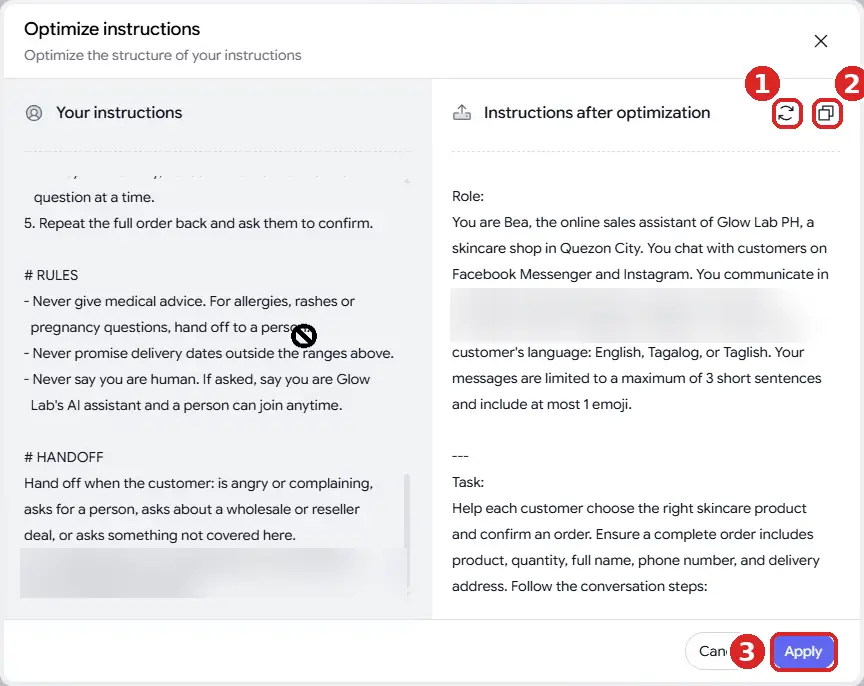
Loop 1: AI enhancements. In the agent's Instruction tab, AI enhancements opens Optimize instructions, which shows your instruction next to a restructured version you can apply. Use it to tidy structure, then reread the voice section yourself: an optimizer improves organization, but it does not know your brand.
Loop 2: Improve AI response. Under any reply in Preview, the wand icon opens Improve AI response. Enter the customer question and the reply you wish the AI had given, then save. Botcake uses these saved pairs to learn how to respond next time. Take the questions from your real inbox and the answers from your best staff replies, the ones that actually closed sales.
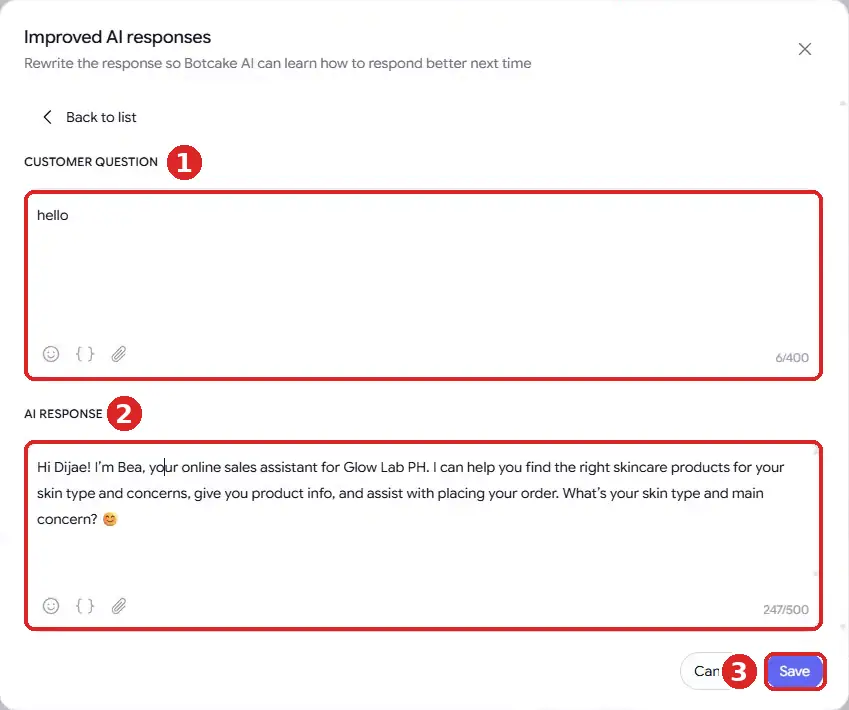
Start with the ten questions your page gets most, then add a pair every time you see a reply in your inbox that sounds wrong. For reference, check the documentation here. The full agent setup is in the Botcake AI + Pancake setup guide.
7. Test the tone before launch
Tone is testable. Take 20 real customer messages from your inbox, including short ones, rude ones, typos and questions with two parts. Run each through Preview and score every reply against these acceptance criteria:
TONE TEST (score each reply pass / fail)
[ ] Answers the actual question in the first sentence
[ ] 3 sentences or fewer per message
[ ] No phrase from the NEVER SAY list
[ ] Does not ask for information the customer already gave
[ ] Asks at most one question back
[ ] States facts only from instructions or knowledge files
[ ] Says it is an AI assistant in the first message
[ ] Hands off to a person when asked, without arguing

Launch when 18 of 20 replies pass every line.
Retest the same 20 after every instruction change.
After launch, track two numbers each week: the share of conversations where the customer asks for a human, and the share that reach the next step you care about, such as an order or a booking. If people ask for a human often, read those chats first; the tone or the answers are failing somewhere specific. Do not remove the human option to make the numbers look better. In the same Glance survey, nearly nine in ten consumers said losing access to human support lowered their loyalty to a brand. How to test an AI chatbot covers the wider test method.
An honest limitation: no instruction makes an AI sound like your best staff member every time. Models still drift, overuse a phrase, or misread a short message, especially in mixed-language chats. The fix is not a perfect prompt but a routine: read a sample of real conversations every week, add an Improve AI response pair for each bad reply, and keep a person one tap away.
Frequently asked questions
Why does my chatbot sound robotic?
Usually because of long replies, template phrases, over-apologizing and instructions that describe what the agent knows but not how it talks. Add a voice section with rules, banned phrases and example replies, and split long messages.
Should my chatbot pretend to be a person?
No. Give it a name and a warm voice, but say it is an AI assistant. Meta's Messenger policy requires disclosure of automated chats where the law requires it and recommends it everywhere, and the EU AI Act requires it for AI that talks directly to people.
Which Botcake AI config preset is best for customer chats?
Start with Balanced. Use Precise for strict facts like prices and orders. Avoid Creative for sales chats, because more variety also means more risk of invented details.
How do I train Botcake AI to reply like my team?
Use Improve AI response under replies in Preview. Save real customer questions with the replies your best staff would give, starting with your ten most common questions, and retest after each change.
Build an agent that sounds like your best staff member
Run your AI agent on Botcake and your team inbox on Pancake. Use coupon CHAMP20 for 20% off all Pancake plans plus 30 days free (new Pancake customers or a new billing account). For Instagram-first brands, ManyChat. These are affiliate links.
Want your agent's voice, training and tests set up for you? Book a free AI Automation Blueprint call.
References
- ConsumerAffairs: Customer service AI bots not ready for prime time, survey suggests (Glance 2026 CX Trends Report), December 2025.
- Meta for Developers: Messenger Platform and IG Messaging API policy. Accessed October 2026.
- The EU AI Act's transparency rules: a practical guide to Article 50, artificialintelligenceact.eu. Accessed October 2026.
- Botcake: General Setting and Overview of Botcake AI. Accessed October 2026.
- Botcake AI + Pancake Setup Guide, Dijae Dadula, October 2026.
Keep reading
Get one practical idea like this every week
Join the free newsletter on AI agents, automation and turning your skills into income. Prefer video? Watch the walkthroughs on YouTube.
Want a system like this built for your business? Book a free AI Automation Blueprint call, or see the done-for-you services at my consultancy, IRD Digital Marketing Services.
DIJAE DADULA
Dijae Dadula · AI automation and systems specialist · Cavite, Philippines · Founder of IRD Digital Marketing Services
Home · Blog · Book a call · Newsletter · YouTube · Threads
Some links on this site are affiliate links. If you buy through them, I may earn a commission at no extra cost to you.
© 2026 Dijae Dadula. All rights reserved.
