Blog · CRM and automation that sells
How to Turn Blog and Search Traffic Into Automated Chat Leads
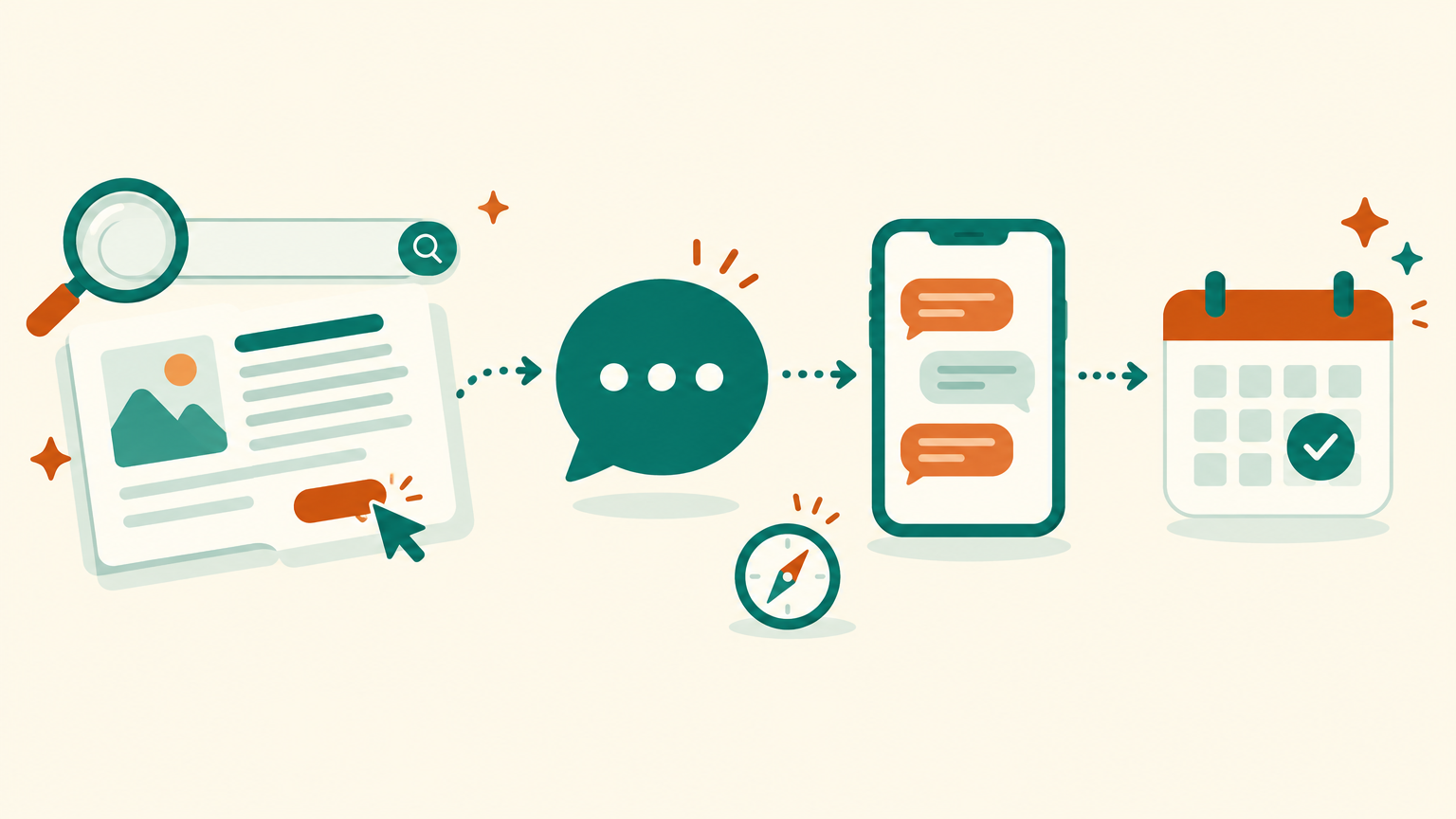
The six-step path from a search to a booked call: chat buttons that match the reader's intent, m.me links with a ref so the chat knows the post, a first-message script and the five numbers to track.
By Dijae Dadula · October 24, 2026 · 11 min read
Most business blogs do the hard part and skip the easy one. A post ranks, a stranger finds it through search, reads the answer to their problem, and then leaves, because the only next step on the page is a generic “Contact us” link at the bottom. The traffic was real. The lead never happened.
This guide is for business owners, consultants and agencies who already publish content or plan to, and who sell through Messenger. You will get the six-step path from a search to a booked call, where to place chat buttons so they match what the reader came for, how to build m.me links with a ref value so the chat knows which post someone read, a first-message script, and the five numbers that tell you whether the path works.
What you will get
- The six-step path from search to booked call.
- Where to place chat buttons on a post, and why the old Messenger website plugin is no longer an option.
- How to build m.me links with a ref in Botcake, with a naming convention.
- A first-message script that knows which post the reader came from.
- The five numbers to track and an acceptance test before launch.
1. Why blog traffic leaks
Search traffic is the most qualified traffic most small businesses will ever get. The reader typed their own problem into a search box. Nobody interrupted them with an ad. When your post answers that problem well, you have their attention at the exact moment they care.
Then most posts waste it in three ways:
- No next step near the answer. The call to action sits only at the very bottom, after the reader has already found what they needed and left.
- A next step that is too big. “Book a call” is the right ask for someone ready to buy. For someone still learning, it is a wall.
- A chat that starts cold. If the reader does click to chat, the bot greets them with a generic menu, as if they had never read anything. They have to explain themselves again.
So why does chat fix this better than a contact form? Because a chat can ask one easy question, answer back immediately, and move at the reader's pace. A form asks for everything up front and then goes silent.
2. The path from search to booked call
Think of each post as the first message of a sales conversation, not as a brochure. The path has six steps, and every step has one job.
1Search. The reader types a problem. Your post title and description match the words they use, not your internal jargon.
2Blog post. It answers that exact problem, fully. Holding back the answer to force a chat backfires: people leave and do not come back.
3Chat button. A clear button near the answer, with an m.me link that carries a ref value for this post.
4First message. The chat opens with a message about the post they just read, not a generic menu.
5Two questions. Fit and timing, nothing more. You can learn the rest later. See how to qualify leads in Messenger automatically for the full method.
6Next step. Ready buyers get a booking link or a person. Everyone else gets something useful and a follow-up.
3. Where the chat buttons go
First, one fact that changes older advice: Meta retired the Facebook Messenger chat plugin for websites, the small chat bubble many sites used to embed, on May 9, 2024. Older guides that tell you to install it are out of date. The reliable way to start a Messenger conversation from your website today is an m.me link on a button or text link.
I recommend three placements per post, each with its own ref value so you can see which one works:
| Placement | Reader's state | Button text that fits |
|---|---|---|
| Right after the key answer | Just got value, wants to apply it | “Get the checklist in Messenger” |
| Next to the price or setup section | Comparing options, has a specific question | “Ask about your setup” |
| End-of-post box | Read everything, deciding | “Talk to us on Messenger” |
On mobile, a button the reader can tap with one thumb matters more than anything clever. Keep the button text about the reader's benefit, not about your channel: “Get the checklist” beats “Message us”.
4. Build m.me links with a ref
An m.me link opens a conversation with your Facebook Page. Add a ref value and the conversation carries context about where it started, such as a link on your website versus a link in a store. The format is simple:
https://m.me/YOUR-PAGE-NAME?ref=blog-cod-orders-mid
https://m.me/YOUR-PAGE-NAME?ref=blog-cod-orders-end
Two behaviors to know. When the person has never messaged your Page, Messenger shows that they came through a link and your Get Started step passes the ref along. When they already have a conversation with you, the link opens that same thread, still passes the ref, and resets the 24-hour standard messaging window so you can reply. For reference, check the documentation here.
In Botcake you do not need to write code for this. The Messenger Ref URL growth tool creates the link and lets you choose which flow it starts, so each ref can open its own first message. For reference, check the documentation here. If you have not set up Botcake AI with Pancake yet, start with the Botcake AI + Pancake setup guide.
My naming convention for ref values, so the reports stay readable a year from now:
blog-[post-slug]-[placement]
placement = mid | price | end

Examples:
blog-ai-chatbot-cost-price
blog-stop-bogus-cod-orders-mid
blog-ai-chatbot-human-handoff-end
Use only lowercase letters, numbers and hyphens, and keep each value short. Then add normal UTM parameters to the links that bring people to the post itself (from your newsletter or social posts), so your site analytics can tell you which channel sent the reader. For reference, check the documentation here.
5. The first message
The first message decides whether the reader stays. It should prove you know why they came, offer what you promised on the button, and ask one easy question. Here is a copy-ready script for a post about stopping bogus cash-on-delivery orders:
Message 1 (sent when ref = blog-stop-bogus-cod-orders-mid):
Hi {first_name}! You were reading our guide on stopping bogus COD orders.
Here is the order-confirmation checklist from the post: [link]

Message 2 (one question, buttons):
Quick question so I can point you to the right setup:
How many COD orders do you ship per week?
[Under 50]  [50 to 300]  [Over 300]

Message 3 (based on the answer):
Under 50   -> send the free setup guide, tag “blog-lead-small”
50 to 300  -> ask: “Do you already use Pancake?” then offer a call
Over 300   -> tag “blog-lead-priority”, assign to a person, offer a call today
Keep the AI agent on standby for questions in between. If someone types a question instead of tapping a button, let Botcake AI answer from your knowledge base and then bring them back to the next step. If the question needs a person, hand off cleanly; the human handoff playbook covers the triggers and setup.
Then follow up. A reader who started a chat but did not book is a warm lead, and a short, useful follow-up inside Meta's messaging rules often matters more than the first message. See how to automate lead follow-up with AI.
6. Measure it and test it
You need five numbers, and they live in different places. That is the part most teams get wrong: they look at blog views in one tool and chats in another and never connect them.
| Metric | Formula | What it tells you |
|---|---|---|
| Chat click rate | Chat-button clicks / post views | Whether the button matches the reader's intent |
| Chat start rate | Chats started / chat-button clicks | Whether the link and first message work on all devices |
| Qualification rate | Qualified leads / chats started | Whether the post attracts the right readers |
| Booking rate | Booked calls / qualified leads | Whether the offer and follow-up are strong enough |
| Leads per post | Qualified leads per post per month | Which posts deserve updates and more promotion |
Do not compare your rates with numbers from other companies. Compare each post with itself month over month, and compare placements on the same post with each other. The ref values make that possible.
Acceptance test before a post goes live with chat buttons:
- Every button opens Messenger on desktop, on iPhone and on Android, from a logged-in and a logged-out browser.
- Each ref starts the right flow. Test from a Facebook account that has never messaged the Page and from one that has.
- The first message names the post the reader came from.
- Each answer to the qualifying question lands on the right tag and the right next step.
- A typed question gets a correct AI answer, and “talk to a person” reaches a person.
- The click shows up in your site analytics and the chat shows up in Botcake with its ref.
An honest limitation: m.me links do not pass the ref in every case. Meta states that refs might not work for some Messenger for Android users or for Pages with geographic restrictions. The link still opens the conversation, so build the flow to ask one quick “What brought you here today?” question whenever the ref is missing, and expect a small share of your chats to arrive without one.
7. How this publication runs the same path
This publication is built on the same principle. I designed it and run it with AI agents: Claude for the build work, PayMeGPT for the newsletter and social posts, Webcake for the pages, and GitHub as the system's memory, under my own architecture, checks and security rules.
The path here is search, post, one next step. Most people who read a guide are still learning, not buying, so the main next step on every post is the free weekly newsletter. The booking link sits in the end-of-post box for readers who are ready. That is the same intent-matching rule from section 2, applied to a publication instead of a shop.
A business that sells through Messenger should put chat where this site puts the newsletter. Your customers already live in Messenger, so a conversation is a smaller step for them than an email signup, and it lets you answer and qualify in the same place. If your offer needs time and trust, use both: chat for the ready readers, newsletter for the learners.
Frequently asked questions
Can I still add the Facebook Messenger chat bubble to my website?
No. Meta retired the Facebook Messenger chat plugin for websites on May 9, 2024. Use m.me links on buttons instead, or a separate website chat tool if you need chat on the page itself.
What is a ref in an m.me link?
A ref is a short value added to an m.me link, such as ?ref=blog-pricing-end. It tells your Messenger bot where the conversation started, so Botcake can start a different flow for each post or placement.
How many chat buttons should a blog post have?
Usually three: one right after the key answer, one next to the price or setup section, and one in the end-of-post box. Give each one its own ref so you can see which placement works.
How do I know which blog posts bring leads?
Track chat-button clicks in your site analytics and chats per ref in Botcake, then tag qualified leads. Count qualified leads per post per month and update the posts that bring the most.
Turn your content into conversations
Build the ref links, flows and AI agent on Botcake and manage the chats in Pancake. Use coupon CHAMP20 for 20% off all Pancake plans plus 30 days free (new Pancake customers or a new billing account). These are affiliate links.
Want the full path from search to booked call designed for your business? Book a free AI Automation Blueprint call.
References
- Meta for Developers: m.me Links. Accessed October 2026.
- respond.io: Facebook Chat Plugin (deprecation of the plugin on May 9, 2024). Accessed October 2026.
- Botcake: Messenger Ref URL and QR Code growth tools. Accessed October 2026.
- Google Analytics Help: URL builders, collect campaign data with custom URLs. Accessed October 2026.
- Botcake AI + Pancake Setup Guide, Dijae Dadula, October 2026.
Keep reading
Get one practical idea like this every week
Join the free newsletter on AI agents, automation and turning your skills into income. Prefer video? Watch the walkthroughs on YouTube.
Want a system like this built for your business? Book a free AI Automation Blueprint call, or see the done-for-you services at my consultancy, IRD Digital Marketing Services.
DIJAE DADULA
Dijae Dadula · AI automation and systems specialist · Cavite, Philippines · Founder of IRD Digital Marketing Services
Home · Blog · Book a call · Newsletter · YouTube · Threads · Transparency
Some links on this site are affiliate links. If you buy through them, I may earn a commission at no extra cost to you.
© 2026 Dijae Dadula. All rights reserved.
